

Dragon’s Dogma 2 Title Update 3.2 adds two new Pawn commands, but neither gets a separate button:
- Hold the Go command to use Explore.
- Hold the To Me! command to use High Five.
On a controller with the default layout, hold D-pad Up for Explore or D-pad Down for High Five. On PC, hold whichever input is currently assigned to Go or To Me!. You can confirm the assignments under Options > Controls > Button Mapping.
Capcom released the commands as part of the free Title Update 3.2 on September 2, 2026. They are available in the base game and do not require the Dark Arisen expansion.
How to use the Explore Pawn command
Hold the same button you normally use for Go until the Explore command activates. With the default controller layout:
- Stand in the area you want your party to investigate.
- Hold D-pad Up until the game registers Explore.
- Release the button and allow the Pawns to respond.
On PC, look for Go in the Button Mapping menu and hold that input. A fixed keyboard key may be wrong for anyone using a remapped layout.
Explore is separate from the normal Go command. According to the official Dragon’s Dogma 2 manual, tapping Go tells Pawns to act independently and changes their behavior depending on whether you are exploring or fighting. Holding the input now calls the dedicated Explore command added in Title Update 3.2.
Capcom’s patch notes do not define every object a Pawn can target or promise that the command will reveal every nearby secret. Calling Explore an automatic chest finder or resource collector would go beyond what Capcom has documented. It tells the party to investigate; it does not replace searching the area yourself.
How to use the High Five Pawn command
Hold To Me! to request a High Five from a Pawn. On the default controller layout, hold D-pad Down rather than tapping it.
Pawns could already offer celebratory gestures after combat. Title Update 3.2 adds a hold command that lets the player request High Five instead of waiting for that situation. A tap still sends the normal To Me! command.
Capcom has not stated that manually initiating a High Five raises Pawn affinity or changes any hidden relationship value. It is safest to treat the command as a social interaction unless testing or later documentation confirms an additional effect.
Explore and High Five controls
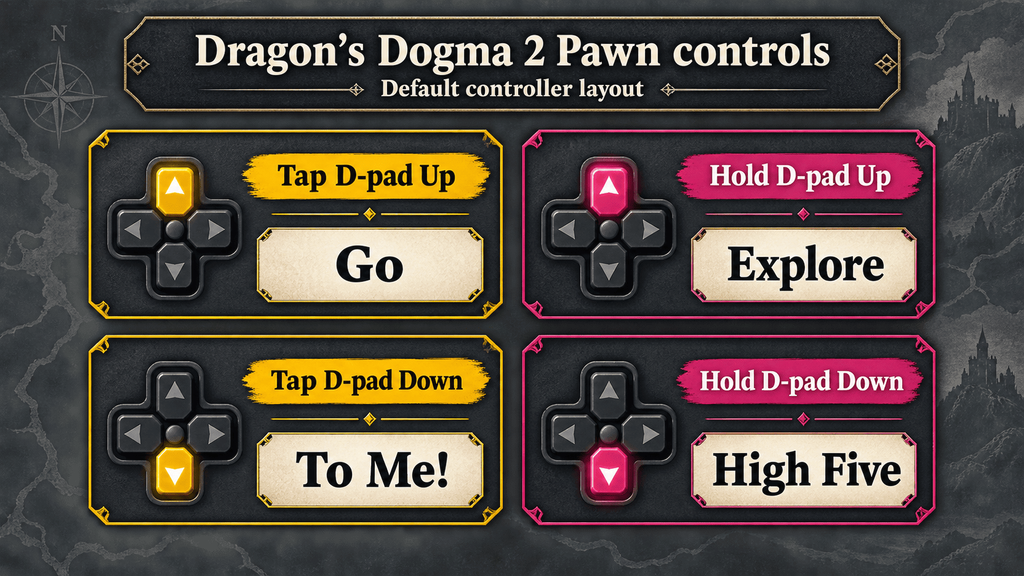
| Action | Default controller input | Custom controls or PC |
|---|---|---|
| Normal Go command | Tap D-pad Up | Tap the input assigned to Go |
| Explore | Hold D-pad Up | Hold the input assigned to Go |
| Normal To Me! command | Tap D-pad Down | Tap the input assigned to To Me! |
| High Five | Hold D-pad Down | Hold the input assigned to To Me! |
If your Pawns perform the old command, the game probably registered a tap before the hold action activated.
What to check if the new Pawn commands are not working
Work through these checks in order:
- Confirm that Title Update 3.2 has finished installing. These commands were not part of the June 2026 update.
- Hold the command instead of tapping it. A tap still triggers Go or To Me!.
- Open Button Mapping and confirm the inputs assigned to those two commands.
- Check the individual Explore and High Five toggles. The official patch notes confirm that each command can be switched on or off.
- If High Five still produces no animation, move closer to a Pawn and try outside combat. Capcom has not published a complete list of contextual restrictions, so this step should be treated as troubleshooting rather than a confirmed requirement.
If Explore works but High Five does not, or the reverse, check the command toggles before changing the controller layout. A hardware problem would be less likely when the normal tap action on the same button still works.
Availability, saves and Dark Arisen
Explore and High Five belong to the Dragon’s Dogma 2 base-game update. You do not need Dragon’s Dogma 2: Dark Arisen, which launches on October 9, 2026.
Capcom has not announced a new-save requirement for the commands. After installing Title Update 3.2, load your current adventure and check the two command toggles if they do not appear.
The same update expands the save system, improves performance, adjusts Pawn behavior and adds interface options. Those changes are also separate from the paid expansion.