

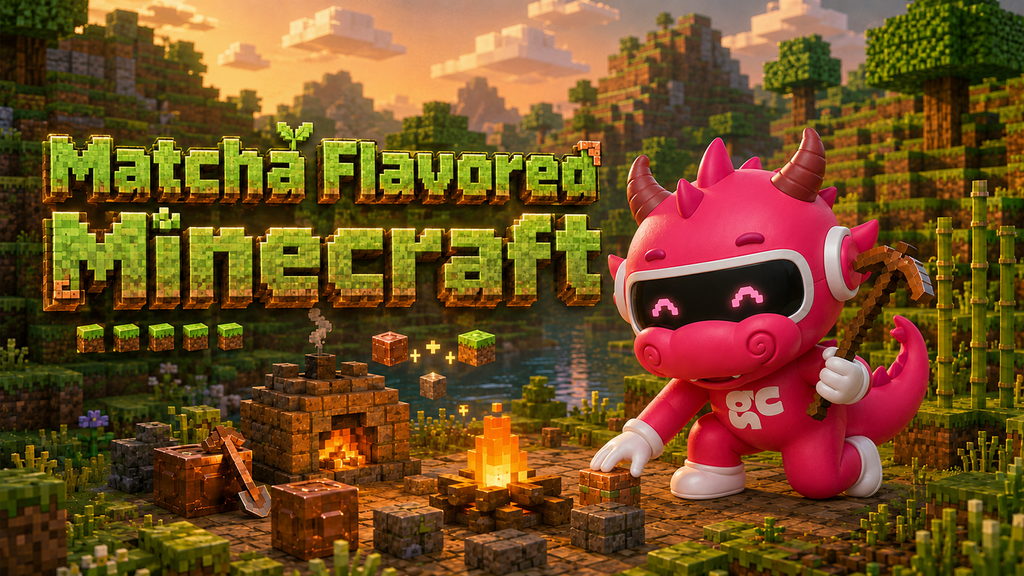
Matcha Flavored Minecraft is a Java Edition data pack that rebuilds survival for players who prefer exploring, cooking, fishing, and trading over building technical farms. It removes familiar shortcuts such as stone tools and sends you through a new opening built around campfires, grass, a mud kiln, and copper equipment.
The official project is named Matcha Flavoured, using the British spelling. “Matcha Flavored” is the American spelling commonly used in searches. Both names refer to the same project created by klei_wright.
And despite the name, it is not a pack about matcha tea.
1. What is Matcha Flavored Minecraft?
Matcha Flavored Minecraft is a combined data pack and resource pack for Minecraft Java Edition. It changes the mechanics and presentation of survival without requiring Fabric or Forge.
The creator describes it as a pack for slower, less technical players who do not enjoy mob farms, XP farms, or heavily optimized villager systems. Its current major features include:
- Hunger and natural regeneration removed
- Around 50 new foods
- 12 food ingredients with intrinsic effects
- Four new alloys with armor and tool sets
- Reworked vanilla equipment
- Reworked villager trades
- New treasures and enchantments
- A less punishing death system
- Secrets and some horror elements
Those features are listed on the official Matcha Flavoured Modrinth page.
The pack is not necessarily easier than vanilla Minecraft. Its early game is intentionally more demanding because the usual progression shortcuts no longer apply. Players who want a calmer experience can use Easy mode, while Normal keeps the more challenging balance intended by the creator.
2. What makes the pack different?
The biggest change is not the number of new items. It is the way the pack changes what feels worth doing.
In a typical Minecraft world, efficiency often means repeating one productive loop. You establish a reliable food source, build farms, optimize villager trades, and move quickly toward high-tier equipment.
Matcha Flavoured wants you to use more of the world. Food, exploration, trades, fishing, equipment choices, advancements, and recipes all contribute to progression.
2.1 Stone tools do not exist
The normal Wood → Stone → Iron route has been replaced with:
Wood → Copper → Iron and beyond
Copper therefore matters as actual early equipment rather than a material you walk past while searching for iron. If you cannot find stone tool recipes, your installation is probably not broken. Their absence is intentional.
2.2 Food has a new purpose
Hunger and natural regeneration have been removed, but food has not become useless. Ingredients and prepared dishes are tied to recovery, effects, and survival planning.
The official project lists around 50 new foods and 12 ingredients with intrinsic potion effects. Recipes may also depend on advancements, inventory triggers, or specific processing stations, so they will not all appear immediately.
2.3 Technical farms are no longer the default answer
The pack is designed to help slower players gather useful resources without relying on mob grinders or other technical systems. Villager trades, treasures, food, fishing, exploration, and specialized equipment offer alternative routes.
This does not mean resources are free. It means the game rewards interacting with several systems instead of repeating the same automated task.
3. How to download Matcha Flavored Minecraft
Download the pack from its official Modrinth project page. Do not rely on mirrors because an old or repackaged file may not match the current release.
As of August 2026, the current stable release is Matcha Flavoured 1.12, which supports Minecraft Java Edition 26.2. Modrinth also lists compatibility with Java 26.1.2 through an earlier project version.
Keep the downloaded file zipped. The current 1.12 file is distributed as both a data pack and resource pack, and the creator instructs players to use the same file in both locations.
The official project is hosted on Modrinth. I could not verify an official Matcha Flavoured release on CurseForge, so Modrinth is the safest source.
4. How to install Matcha Flavored Minecraft
A correct installation requires two copies of the same untouched zip:
- One copy installed as a data pack inside the world
- One copy selected as a global resource pack
This is not accidental duplication. Each copy has a separate job.
4.1 Step 1: Add the data pack while creating a world
Create a new Java world and open the More or Data Packs section before generating it.
Select Open Pack Folder, then place the zipped Matcha Flavoured file directly inside that folder. Return to Minecraft and move the pack into the Selected column.
Create the world and check the chat. If the data pack loaded correctly, you should see:
“Matcha Flavoured is now loaded.”
A new world is recommended because the pack rearranges items and changes progression. The creator allows installation in an existing world but warns that some things may break.
4.2 Step 2: Select the resource pack
Copy the exact same zip into Minecraft’s global resourcepacks folder.
Open Options → Resource Packs, find Matcha Flavoured, move it into the Selected list, and apply the change.
This second copy provides the intended textures and other visual resources. Without it, the mechanics may work while items display incorrect vanilla visuals.
Use matching releases in both locations. Do not combine data from one version with resources from another.
For a more detailed folder-by-folder walkthrough, use the Matcha Flavored installation guide.
4.3 Can you use the Modrinth App?
Not for the complete setup.
The creator explains that the Modrinth App currently installs the file only as a resource pack because data packs are tied to individual worlds. You must still add the zip manually to the world’s data-pack folder.
4.4 Can you add it to an existing world?
Yes, but back up the world first.
From the Singleplayer list, select the world, choose Edit, and open its world folder. Place the zipped file inside the datapacks folder, then install and select the second copy as a resource pack.
The creator suggests enabling cheats if you proceed with an established world, since item changes may create situations that need manual repair.
5. How to start playing
After Matcha Flavored Minecraft loads successfully, forget the usual race toward a stone pickaxe. The advancement screen and recipe book are your main guides.
The creator recommends three early actions:
- Make a campfire
- Craft a wooden hoe
- Collect grass to cook
These steps lead toward the mud kiln and the next stage of progression.
5.1 Make a campfire first
The campfire is part of the opening route, not optional decoration. Use it to process the grass-related materials revealed by the early advancements and recipes.
The exact sequence is designed to be discovered in-game, so check visible advancements and recipes you cannot yet craft instead of searching only for familiar vanilla items.
5.2 Use a wooden hoe on short grass
The independent getting-started guide reports that pack 1.12 gives wheat seeds a 12.5% base chance when short grass is broken with a hoe.
That percentage comes from the current pack data as analyzed by the guide, not from the creator’s short Modrinth description. The practical answer is still simple: use a hoe rather than repeatedly breaking grass by hand.
5.3 Work toward the mud kiln
Cooking grass leads toward dry grass, mud-related recipes, and eventually the Mud Kiln.
The Mud Kiln uses the vanilla Smoker block underneath the resource pack. If the mechanics work but the block still appears under an unexpected vanilla name or model, check whether the resource-pack copy is selected and matches the data-pack version.
The opening route is approximately:
Wood → Campfire → Wooden hoe → Grass and dry grass → Mud Kiln → Copper gear
5.4 Move from wood into copper
Do not waste time trying to unlock stone equipment. The creator explicitly states that stone tools do not exist and that progression moves from wood to copper and then iron.
Once copper equipment becomes available, choose tools that solve your immediate survival needs rather than trying to craft everything at once.
6. Recipes, equipment, and exploration
Once you reach the mud kiln and copper stage, the pack becomes less linear.
Recipes can unlock when you collect an ingredient, complete an advancement, or prepare an earlier component. If an item does not appear in the recipe book, check its likely parent recipe and workstation before assuming a bug.
The Matcha Flavored recipe catalogue organizes recipes by use and process. Because the project can change through hotfixes, the recipe book in your current game version should take priority if it conflicts with an older guide.
Equipment also becomes more specialized. The pack contains new alloys and reworked tool sets, so there is not always one material that is best for every job. The items and alloys guide compares equipment by purpose rather than treating it as a simple rarity ladder.
Exploration supports this progression through treasures, revised trades, food ingredients, fishing, and other discoveries. The creator also advises players to break spawners and avoid rushing to the End.
7. How to tell if the pack is working
Use three checks:
- The chat displays the Matcha Flavoured load message.
- Matcha Flavoured appears under Selected resource packs.
- Advancements, recipes, textures, and gameplay all show the expected changes.
| What happens | Most likely cause |
| Textures change, but gameplay stays vanilla | The world-specific data-pack copy is missing |
| Mechanics change, but visuals look wrong | The resource pack is missing, inactive, or mismatched |
| Nothing changes | Wrong folder, unsupported version, or incorrectly placed file |
| Stone tools are unavailable | Intentional pack design |
| The opening route never advances | Check the data pack, advancements, recipes, campfire, and grass route |
If necessary, use the Matcha Flavored troubleshooting guide to isolate the missing half.
8. Is Matcha Flavored available for Bedrock?
Modrinth lists the project as compatible with Minecraft Java Edition, with Data Pack and Resource Pack as its supported platforms. I found no official Bedrock release from the creator.
That is more precise than saying a Bedrock version could never exist. At present, however, the official download should be treated as Java-only. Do not assume that renaming or moving the Java zip will turn it into a working Bedrock add-on.
9. Is Matcha Flavored worth playing?
Matcha Flavored is a strong choice if you like building a survival world gradually and discovering how different systems connect. Cooking, fishing, trading, equipment choices, and exploration receive more attention than they do in a standard rush toward diamonds.
It is a poor fit if your favorite part of Minecraft is designing mob farms or optimizing every resource loop. The creator says this directly on the official project page.
The pack’s best idea is not simply making survival harder. It makes more activities feel useful.
10. FAQs
10.1 Are Matcha Flavored and Matcha Flavoured different?
No. Matcha Flavoured is the official project name. Matcha Flavored is the American spelling used by many searchers.
10.2 Is Matcha Flavored a mod or data pack?
It is a combined Java Edition data pack and resource pack. It does not require Fabric or Forge.
10.3 Do I need to unzip the file?
No. For the normal installation described by the creator, keep the downloaded file zipped and place the same zip in both required locations.
10.4 Why can’t I craft stone tools?
Stone tools do not exist in the pack’s intended progression. Move from wood into copper equipment.
10.5 Can I install it using the Modrinth App?
Only partially. The app may install the resource pack, but you must add the data pack to a world manually.
10.6 Is Matcha Flavored on CurseForge?
The official project and downloads are on Modrinth. I could not verify a creator-published CurseForge release.
10.7 Can I use it in an existing world?
Yes, but make a backup first. The creator warns that items have been shuffled and recommends being prepared to fix problems manually.
11. Final thoughts
Matcha Flavored Minecraft is most enjoyable when you stop forcing vanilla progression and follow the clues provided by its advancements and recipes. Install the same zip as both a data pack and resource pack, begin with the campfire and grass route, build the mud kiln, and move from wood into copper. Once that first unfamiliar hour makes sense, the pack opens into a broader survival experience built around food, equipment, trades, exploration, and discovery.


3 Comments