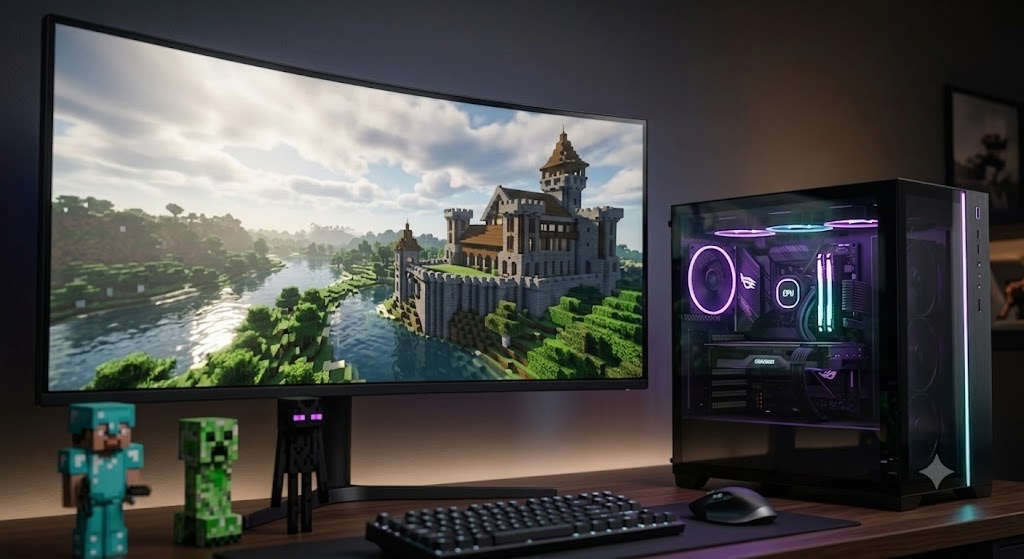
Learning the right PC specs for Minecraft is the first step toward enjoying smooth performance without lag. While Minecraft’s iconic retro-pixel art style makes it appear lightweight, running heavily modded worlds, high render distances, or advanced shaders requires serious processing power.
What is Minecraft?
Minecraft is a sandbox game created by Mojang Studios where players explore a blocky 3D world, gather resources, craft items, and build structures. You can survive against monsters in Survival Mode or express unlimited creativity with infinite resources in Creative Mode.
Minimum vs recommended hardware specs
You do not need a monster rig to load a basic vanilla world, but stable frame rates require careful planning. Here are the core specifications to aim for:
| Component | Minimum Requirements | Recommended Specs (Smooth 1080p) |
| CPU | Intel Core i3-3210 / AMD A8-7600 | Intel Core i5-4690 / AMD Ryzen 5 1500X |
| RAM | 4 GB | 8 GB or 16 GB |
| GPU | Intel HD Graphics 4000 / Nvidia GeForce 700 | Nvidia GeForce GTX 1660 / AMD Radeon RX 580 |
| Storage | 4 GB HDD | SSD (256 GB+) |
| OS | Windows 10 (64-bit) | Windows 11 (64-bit) |
Prioritising CPU and RAM allocation
Minecraft relies heavily on single-thread processor performance rather than utilising dozens of cores. A modern mid-range CPU like the Intel Core i5 or AMD Ryzen 5 handles world generation and mob artificial intelligence much better than an older multi-core chip.
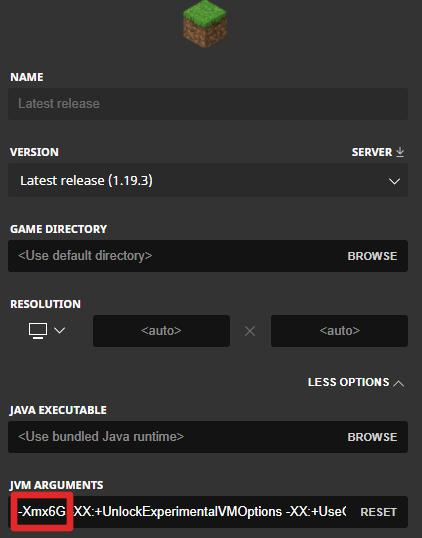
Memory management is equally critical. The Java edition default setting assigns only 2 GB of RAM, which leads to sudden stuttering. Upgrading your system to 16 GB allows you to allocate 6 GB directly to the game via the launcher, instantly solving frame drops. Do not allocate more than 8 GB unless you run heavy modpacks, as it can cause performance issues with Java garbage collection.
Selecting the right graphics card for shaders
Integrated graphics can run vanilla worlds at reduced settings, but adding custom shaders or high-resolution resource packs changes everything. For basic play, skip integrated chips and opt for a dedicated graphics card like the Nvidia GeForce RTX 3060.
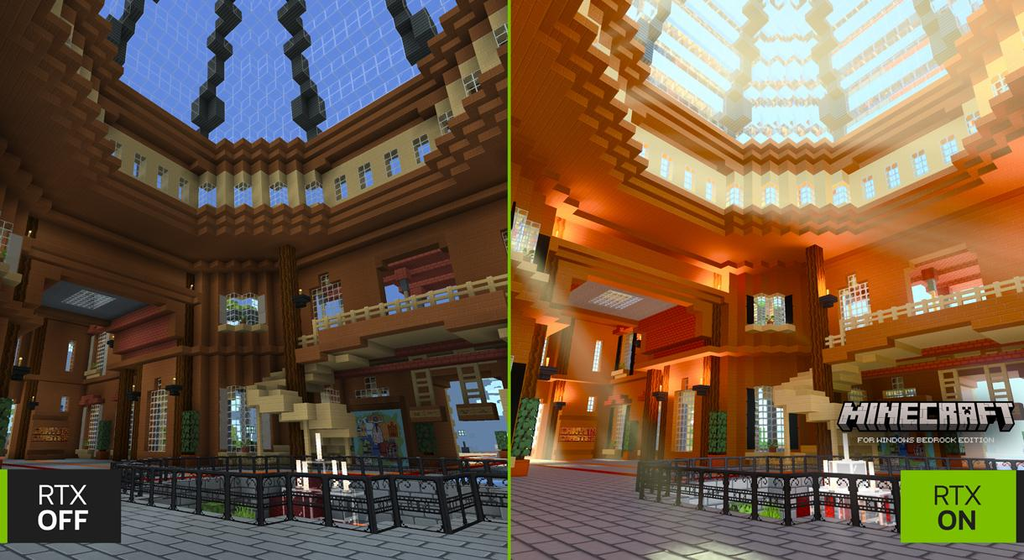
If you want ray tracing in Bedrock Edition or heavy Iris/OptiFine shaders in Java Edition, target a GPU with at least 8 GB of VRAM. A weak card will turn your gameplay into a slideshow the moment you light up a complex cave system.
Essential optimisations to boost performance
Hardware is only half the battle. Software optimisations make a massive difference in stability:
- Install performance mods like Sodium or Lithium for Java Edition instead of relying solely on vanilla settings.
- Reduce render distance to 12–16 chunks for optimal balance between visibility and smoothness.
- Install the game on a fast Solid State Drive rather than a traditional hard drive to eliminate chunk loading delay.
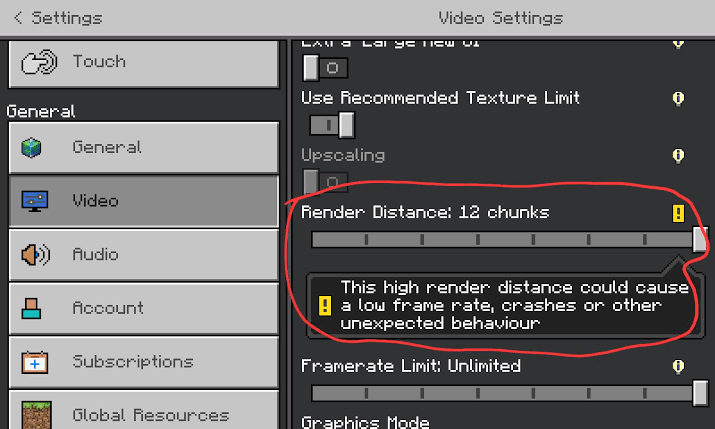
Summary of ideal PC specs for Minecraft
Building or buying the right setup comes down to your personal playstyle. If you play casual vanilla survival, a modest mid-range desktop will serve you well. For collectors and enthusiasts who want high-resolution textures, heavy modpacks, and realistic lighting, invest heavily in a fast single-core processor, an SSD, and 16 GB of memory. Getting these PC specs for Minecraft right ensures your building sessions remain fluid and immersive.
What hardware setup are you currently running, and are you planning to play vanilla or heavily modded Minecraft? If you want a Minecraft mode that rebuilds survival for players who prefer exploring, cooking, fishing, and trading over building technical farms, this kind of mode will satisfy you. It removes familiar shortcuts such as stone tools and sends you through a new opening built around campfires, grass, a mud kiln, and copper equipment.
Frequently asked questions
- How much RAM should I allocate to Minecraft? For vanilla gameplay, 4 GB is plenty. If you are running heavy modpacks or high-resolution shaders, allocate 6 GB to 8 GB. Avoid allocating more than 8 GB unless a modpack explicitly requires it, as excess RAM can cause performance stutters due to Java garbage collection pauses.
- Is CPU or GPU more important for Minecraft? CPU is far more important for standard Minecraft play. The game engine processes world generation, physics, and entity actions primarily on a single CPU core. However, if you plan to run ray tracing or heavy shader packs, a powerful GPU becomes equally necessary.
- Can I play Minecraft smoothly on a laptop? Yes, but skip entry-level ultrabooks with basic integrated graphics. Look for a laptop equipped with at least a modern Intel Core i5 or AMD Ryzen 5 processor, 16 GB of RAM, and a dedicated graphics card like an Nvidia RTX 3050 or higher to maintain stable frame rates.
- Why is my game lagging even with a high-end PC? This usually happens because Minecraft Java Edition uses integrated graphics by default instead of your dedicated GPU, or because you haven’t adjusted your launcher settings to allocate more than the default 2 GB of RAM. Check your in-game debug screen (F3) to ensure your dedicated graphics card is active.
- Does installing Minecraft on an SSD improve frame rates? An SSD will not directly increase your maximum FPS, but it drastically reduces chunk-loading hitches and stutter when travelling quickly across the map. It also speeds up game launch times and world loading screens compared to a mechanical hard drive.