

Looking for the best Minecraft Bedrock seeds? These seeds can place you near villages, Cherry Groves, Ancient Cities, jungle temples, desert structures, exposed caves, and useful early-game resources.
This guide is for Minecraft Bedrock Edition on Windows, Android, iOS, Xbox, PlayStation, and Nintendo Switch. If you are still deciding which version to play, our guide to Bedrock Minecraft and its platforms explains how the edition works across devices.
Most seed locations below were documented for Bedrock 1.21. Minecraft world generation can change between major updates, so test a seed in a new world before starting a long-term survival save. The current 2026 version numbering system includes releases such as Bedrock 26.40. You can check the latest update in the official Minecraft Bedrock changelog.
How Minecraft Bedrock seeds work
A seed is a number or text value that Minecraft uses to generate a world. When you enter the same seed using the same edition and a compatible version, the terrain and structures should generate in a similar arrangement.
The edition matters. Java Edition and Bedrock Edition do not use identical world-generation systems. A seed that creates a village beside spawn on Java may produce a completely different world on Bedrock.
If you are unsure about the difference, our detailed comparison of Minecraft Bedrock vs. Java covers world generation, multiplayer, performance, mods, and platform support.
Bedrock seeds can be used on:
- Minecraft for Windows
- Android
- iPhone and iPad
- Xbox One and Xbox Series X|S
- PlayStation 4 and PlayStation 5
- Nintendo Switch
Minecraft Pocket Edition is the older name commonly used for the mobile version. Modern mobile Minecraft uses Bedrock Edition, so many Bedrock seeds can work on Android and iOS when the game version is compatible.
Best Minecraft Bedrock seeds for survival
1. Between two blacksmith villages
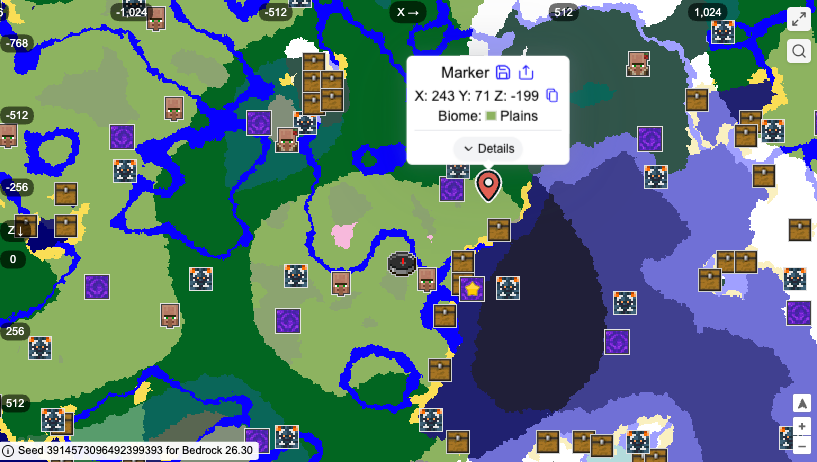
- Seed: 3914573096492399393
- Best for: Beginners, survival, and multiplayer
- Main feature: Two Plains Villages with blacksmiths
- Documented version: Bedrock 1.21
This is one of the most practical Minecraft Bedrock seeds village spawn options for a new survival world. The spawn area is positioned between two Plains Villages, and both villages contain blacksmith buildings.
You can collect food, beds, crops, and basic materials before exploring farther. Blacksmith chests may also provide iron, tools, armor, or other useful items.
The area around the villages includes forests, meadows, snowy biomes, and small Cherry Groves. It also works well for multiplayer because players can build in separate areas while sharing the same villages.
Key locations:
- Blacksmith Village 1: 22, 53
- Blacksmith Village 2: -283, 83
The coordinates above use the X and Z format. This seed was listed as a Bedrock village seed by Pro Game Guides.
2. Spawn Savanna Village
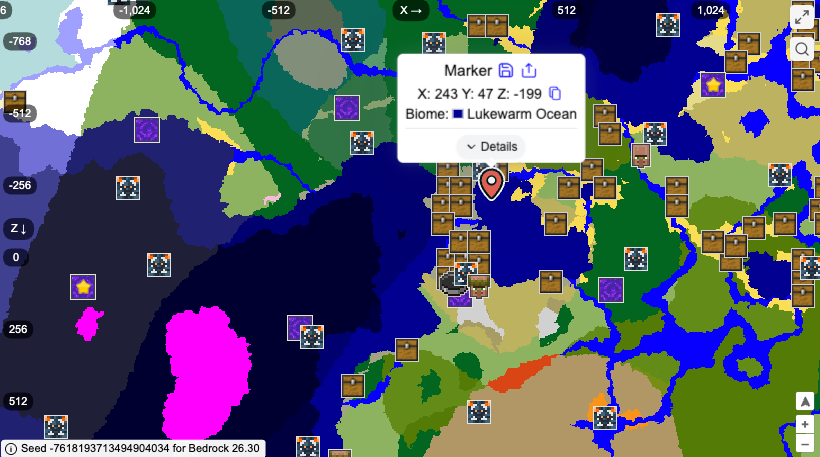
- Seed: -7618193713494904034
- Best for: Early survival progression
- Main feature: Large Savanna Village and ruined Nether portal
- Documented version: Bedrock 1.21
This Savanna Village gives you a useful starting point for Survival Mode. It has access to crops, animals, beds, and basic resources, while a ruined Nether portal is located nearby.
The nearby Stony Shores can also provide coal, copper, and iron. A Trial Chamber is located under the surrounding area, giving you a more advanced goal once you have better equipment.
Key locations:
- Savanna Village: 192, 104
- Ruined Nether Portal: 130, 129
- Trial Chamber: 153, -22, 57
The village is useful for beginners, but the Trial Chamber should be treated as a later objective.
3. Desert Hideout
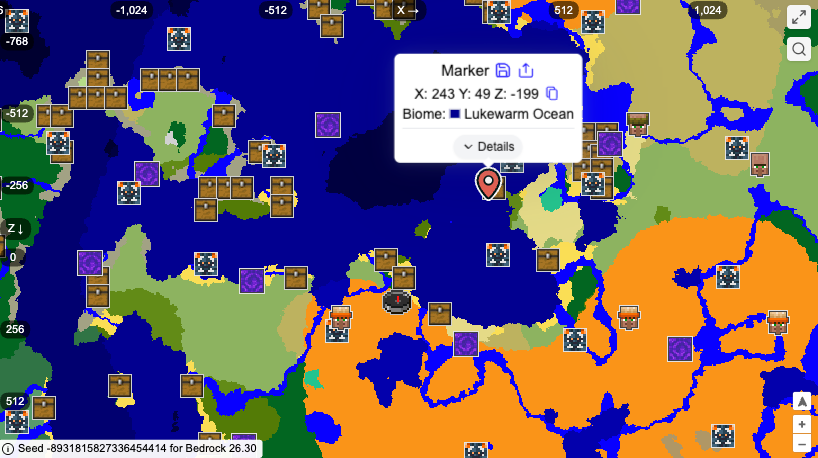
- Seed: -8931815827336454414
- Best for: Desert survival and secret bases
- Main feature: Desert villages, temples, and a natural cave hideout
- Documented version: Bedrock 1.21
This seed starts near a tall desert cove filled with caves. The formation can work as a natural hidden base because you can build inside the terrain instead of constructing a large defensive wall.
A Desert Village and Desert Temple are located near the starting area. Across the ocean, you can find another village, a second temple, and a ruined Nether portal.
Key locations:
- Desert Temple 1: -230, 248
- Desert Village 1: -266, 215
- Desert Hideout: 10, 269
- Ruined Nether Portal: 163, 308
- Desert Temple 2: 601, 248
- Desert Village 2: 726, 212
This is a strong option if you want a survival base with access to villagers, desert loot, and a distinctive landscape.
Rare biomes Bedrock seeds
4. Cherry Hill Village
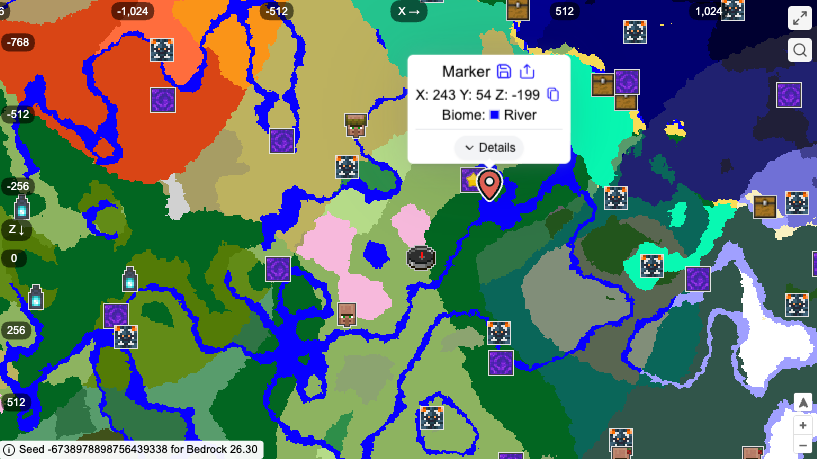
- Seed: -6738978898756439338
- Best for: Building and peaceful survival
- Main feature: Two Cherry Groves and a Plains Village
- Documented version: Bedrock 1.21
This seed is built around a visually attractive starting area. You spawn between two Cherry Groves, a forest, and a large Plains Village.
The surrounding terrain gives you access to several building materials without requiring a long expedition. You can collect oak and birch wood from the nearby forest, cherry wood from the groves, and food from the village.
The world also includes Taiga, Old Growth Spruce Taiga, Savanna, a second Savanna Village, and a ruined Nether portal.
Key locations:
- Cherry Grove 1: 0, 0
- Cherry Grove 2: -148, 76
- Plains Village: -270, 190
- Savanna Village: -259, -446
- Ruined Nether Portal: -492, -418
This is one of the best cool Bedrock seeds for players who want a scenic world for building.
5. Lush Badlands Cave
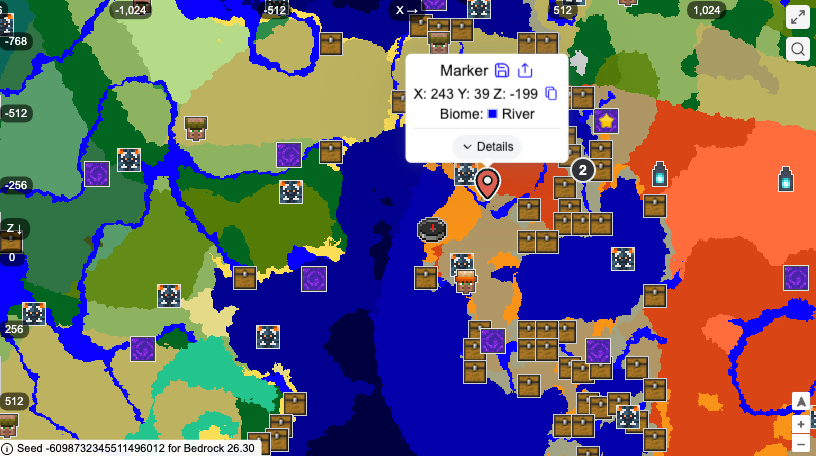
- Seed: -6098732345511496012
- Best for: Cave exploration and unusual bases
- Main feature: Surface-accessible Lush Cave near a village
- Documented version: Bedrock 1.21
A Lush Cave entrance is visible from the surface, and a small Desert Village is located nearby. The cave includes pools, waterfalls, and a deeper Deep Dark section.
This makes the seed useful for players who want to build an underground base or explore a visually interesting cave system early in the game.
Key locations:
- Desert Village: 173, 85
- Lush Cave entrance: 226, 158
- Deep Dark: 298, -44, 191
The village does not appear to be the main attraction here. Choose this seed for the combination of Lush Cave, Badlands terrain, and nearby Deep Dark rather than for early blacksmith loot.
6. Ice Spikes Village
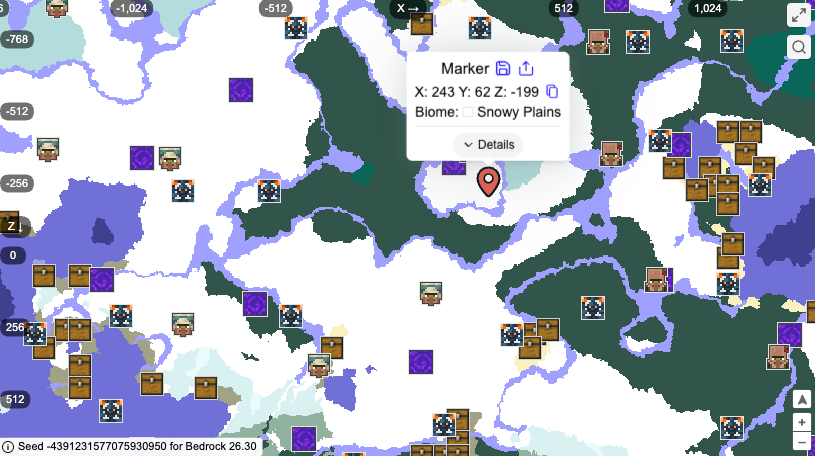
- Seed: -4391231577075930950
- Best for: Snowy builds and cold-biome survival
- Main feature: Ice Spikes, Snowy Village, and ruined Nether portal
- Documented version: Bedrock 1.21
This world begins in a Snowy Plains area with a Frozen River and a nearby Ice Spikes biome. Travel east to find a Snowy Village and a ruined Nether portal.
The contrast between the village, frozen landscape, and sharp ice formations makes this a strong setting for a winter base, castle, or survival challenge.
Key locations:
- Snowy Village: 163, -360
- Ruined Nether Portal: 110, -336
The village is not directly beside spawn, so bring food and basic supplies before making the journey.
7. Woodland Mansion by a flooded canyon
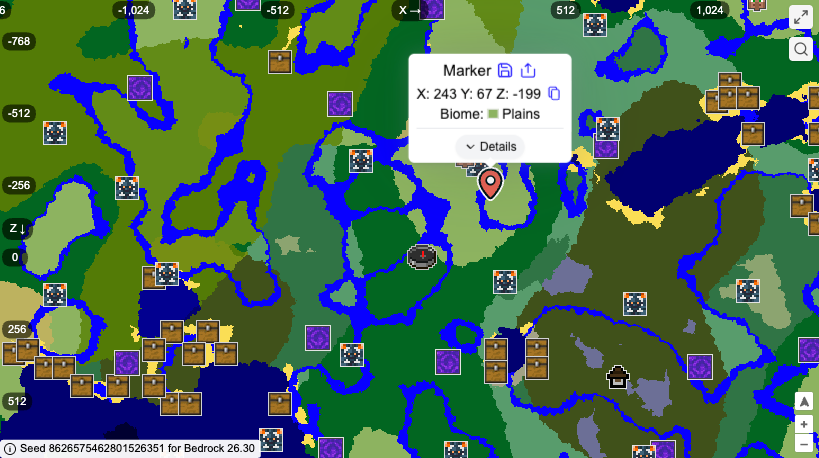
- Seed: 8626575462801526351
- Best for: Rare structures and exploration
- Main feature: Woodland Mansion, Pale Garden, and Lush Cave
- Documented version: Bedrock 1.21
Woodland Mansions are difficult to find naturally, which makes this seed appealing to players who want a major exploration target.
The mansion is positioned near a flooded canyon, Birch Forest, Pale Garden sections, and a Lush Cave ravine. You can use the mansion as a late-game base or build a custom settlement around it.
Key locations:
- Woodland Mansion: 673, 459
- Lush Cave ravine: 561, 365
- Pale Garden: 597, 581
Do not enter the mansion without preparation. Vindicators and other hostile mobs can overwhelm players who arrive without armor, food, and an escape route.
Ancient City seed Bedrock options
8. Mountainside Village surrounded by Ancient Cities
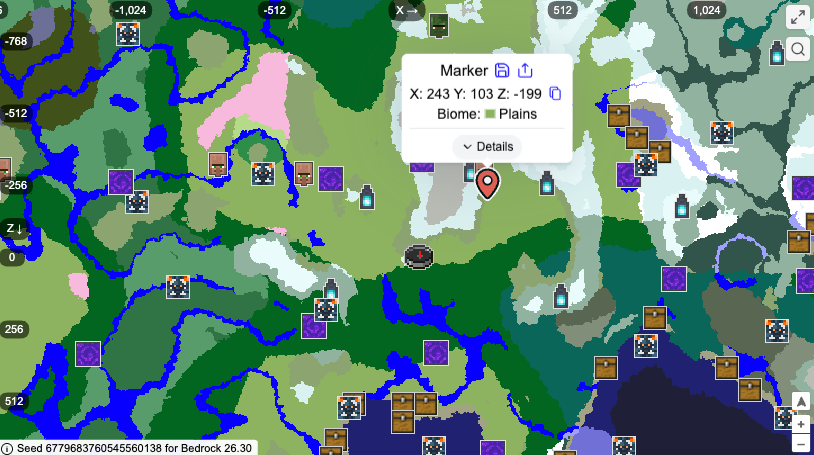
- Seed: 6779683760545560138
- Best for: Deep Dark exploration
- Main feature: Plains Village near five Ancient Cities
- Documented version: Bedrock 1.21
This is one of the best Ancient City seed Bedrock options in the list. A Plains Village sits near a mountain range containing five separate Ancient Cities.
The village provides a useful surface base, while the Ancient Cities create several dangerous exploration goals. You can gather equipment in the village before gradually entering the Deep Dark.
Key locations:
- Mountainside Village: 223, -324
- Ancient City 1: 176, -45, -315
- Ancient City 2: 120, -42, -592
- Ancient City 3: 409, -42, -576
- Ancient City 4: 448, -45, -278
- Ancient City 5: 489, -42, 129
Ancient Cities are not beginner-friendly. Sculk sensors and sculk shriekers can summon the Warden, so bring wool, blocks, food, and spare equipment.
9. Four Ancient Cities beneath the mountains
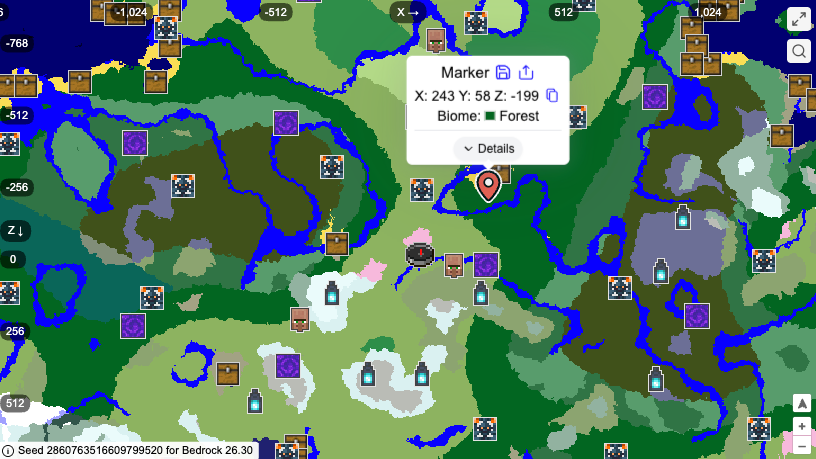
- Seed: 2860763516609799520
- Best for: Experienced explorers
- Main feature: Four Ancient Cities and a Plains Village with a blacksmith
- Documented version: Bedrock 1.21
This seed places several major points of interest around the starting area. A Plains Village with a blacksmith is located near the mountains, while four Ancient Cities can be found beneath the surrounding terrain.
The village gives you access to early food, beds, and equipment before you begin exploring underground.
Key locations:
- Plains Village with blacksmith: 99, 13
- Ancient City 1: 208, -42, 120
- Ancient City 2: 0, -42, 393
- Ancient City 3: -192, -42, 408
- Ancient City 4: -312, -42, 112
The Deep Dark begins at a dangerous depth, so prepare properly before following the coordinates.
Minecraft Bedrock diamond seeds
10. Desert Diamond Ravine
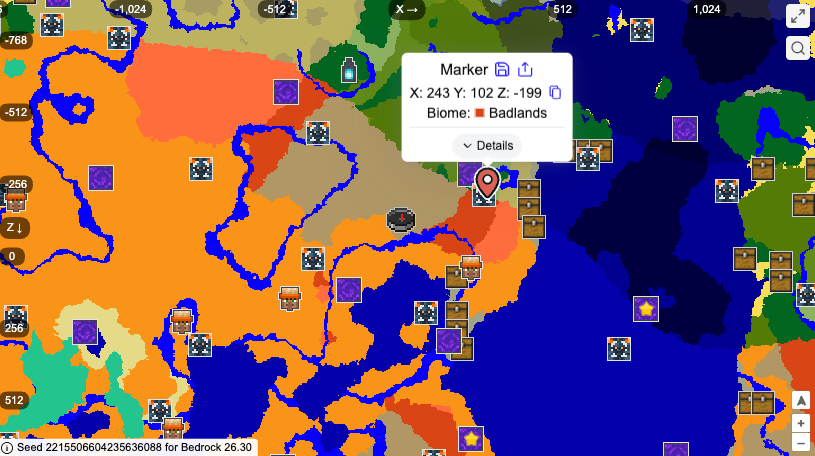
- Seed: 2215506604235636088
- Best for: Early diamond mining
- Main feature: Desert Village and diamond-filled ravine
- Documented version: Bedrock 1.21
This is one of the more useful Minecraft Bedrock diamond seeds because it combines an early village with a ravine containing several reported diamond veins.
Visit the Desert Village first to collect food, beds, and basic supplies. After that, travel to the Badlands ravine and use the water near the entrance to descend safely.
Key locations:
- Desert Village: 184, 35
- Ravine entrance: 230, 73, -62
- Zombie Spawner: 185, -39, -59
- 16-ore diamond vein: 191, -46, -97
- 8-ore diamond vein: 218, -7, -97
Diamond locations are more sensitive to version changes than surface structures. Test this seed before using it for a serious survival world.
11. Nothing but diamonds
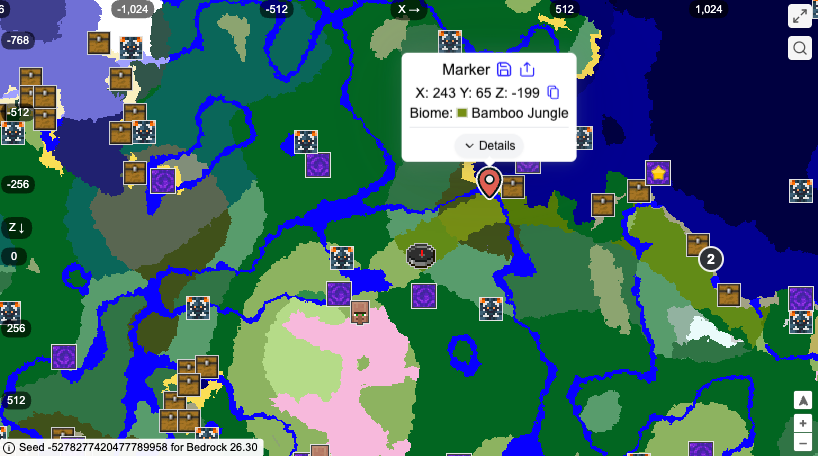
- Seed: -5278277420477789958
- Best for: Mining-focused survival
- Main feature: Village, cave, and multiple diamond veins
- Documented version: Bedrock 1.21
A Plains Village in a Cherry Grove can provide food and basic materials before you begin mining. The nearby cave contains several reported diamond veins in the deepslate layers.
Key locations:
- Plains Village in Cherry Grove: -243, 200
- Cave entrance: -56, 57, 4
- 12-ore diamond vein: -34, -37, 29
- 10-ore diamond vein: -22, -43, 48
- 8-ore diamond vein: -31, -38, 21
This is not an unlimited diamond seed. It simply gives you a more convenient starting point for mining.
Unique Minecraft Bedrock seeds
12. Partially underground Taiga Village
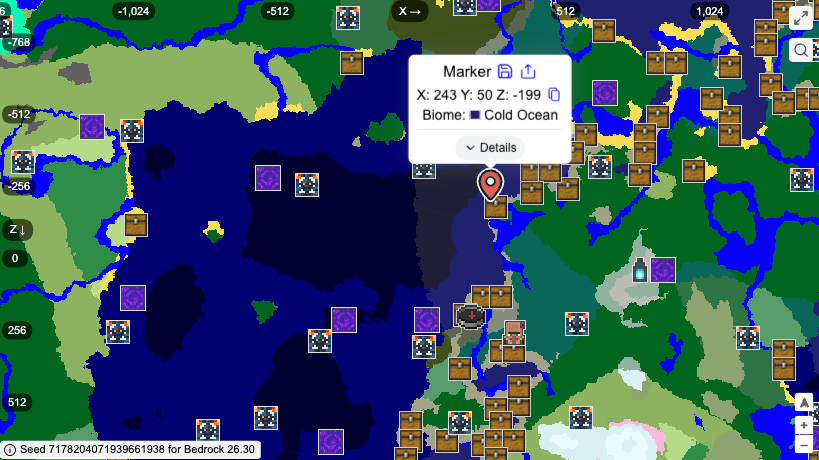
- Seed: 7178204071939661938
- Best for: Unique bases and creative survival builds
- Main feature: Taiga Village generated partly inside a cave
- Documented version: Bedrock 1.21
Part of this Taiga Village generates inside a shallow cave beneath the rest of the settlement. The unusual layout gives you a natural starting point for bridges, tunnels, farms, and underground trading areas.
The area also includes a mineshaft, a Lush Cave, and a small Deep Dark section.
Key locations:
- Partially Underground Taiga Village: 310, 270
- Mineshaft: 262, -23, 202
- Lush Cave: 248, -16, 195
Choose this seed for its memorable village layout rather than for the fastest route to rare resources.
13. Desert Village with Jungle Temple
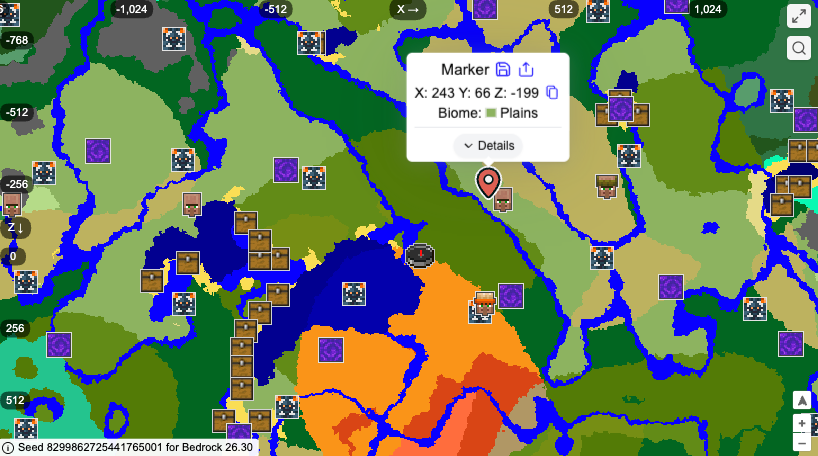
- Seed: 8299862725441765001
- Best for: Structure hunting and early adventure
- Main feature: Desert Village beside a Jungle Temple
- Documented version: Bedrock 1.21
This seed creates an unusual border between a Desert and a Jungle biome. A Desert Village appears near a Jungle Temple, giving you access to villagers, food, beds, and temple loot in the same general area.
A Trial Chamber is also located beneath the surrounding terrain, creating a second exploration goal for later in the world.
Key locations:
- Desert Village: 210, 153
- Jungle Temple: 291, 151
- Trial Chamber: 215, -17, 199
The Jungle Temple contains traps, so bring blocks and avoid opening chests without checking the pressure plates and dispensers first.
14. Stranded at sea
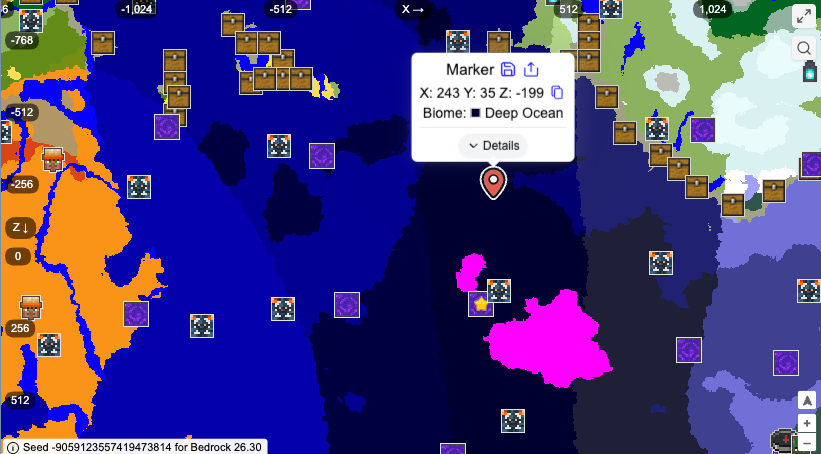
- Seed: -9059123557419473814
- Best for: Survival challenges
- Main feature: Ocean spawn with small Plains islands
- Documented version: Bedrock 1.21
This seed places you in a large Lukewarm Ocean with only a few small Plains islands nearby. It is not the best choice if you want a comfortable village start, but it creates a strong survival challenge.
You will need to search for wood, crops, and supplies from shipwrecks or travel toward the mainland. A large Desert is located to the west, while Mushroom Islands can be found to the east.
Key locations:
- Desert: -949, 32
- Mushroom Island: 136, 66
- Shipwreck 1: -252, 108
- Shipwreck 2: 474, 507
This seed is best for experienced players or multiplayer groups who want to build a world from limited resources.
How to use Minecraft Bedrock seeds
- Open Minecraft Bedrock Edition.
- Select Play.
- Choose Create new.
- Select Create new world.
- Open the world settings.
- Find the Seed field.
- Enter the seed exactly as shown.
- Include the minus sign for negative seeds.
- Create the world.
- Enable Show Coordinates if you want to follow the locations in this guide.
Seeds only affect newly generated worlds. Entering a seed after a world has already been created will not replace the existing terrain.
If Minecraft is running poorly while you test different worlds, check our guide to the PC specs needed for smooth Minecraft gameplay.
How to find structures using coordinates
Minecraft coordinates normally use three values:
- X: East or west position
- Y: Vertical height
- Z: North or south position
Surface seed guides sometimes list only X and Z because the exact ground height can vary. For caves, Ancient Cities, Trial Chambers, and diamond veins, you should use all three coordinates whenever available.
If you cannot find a structure:
- Check that the seed was entered correctly.
- Confirm that you are using Bedrock Edition.
- Check the version used by the source.
- Make sure the coordinates are in the correct order.
- Confirm that you created a normal world.
- Avoid experimental features when comparing results.
- Use a seed map configured for Bedrock, such as Chunkbase’s Ancient City Finder.
Why a Minecraft Bedrock seed may look different
A seed may produce different results when:
- You used a Java Edition seed.
- You entered a negative seed without the minus sign.
- You copied one digit incorrectly.
- The source tested an older version.
- You enabled experimental features.
- You used a Marketplace template or custom world preset.
- A seed map was set to the wrong edition.
- You are checking chunks generated under a different version.
Minecraft’s official Bedrock Seed Picker FAQ explains that world-generation changes can require seed lists and presets to be updated.
Do Minecraft Pocket Edition seeds work on Bedrock?
Yes. Minecraft Pocket Edition is the older name commonly used for the mobile version. Modern Android and iOS Minecraft use Bedrock Edition, so many Bedrock seeds can work on mobile when the version and world settings are compatible.
The safest approach is to test the seed in a new world before committing to a long survival playthrough.
Do Bedrock seeds work on Java Edition?
Not reliably. Java Edition and Bedrock Edition use different world-generation systems, so villages, structures, biomes, and underground locations may appear in different places.
A seed that creates a village at spawn on Java may produce a completely different starting area on Bedrock. Always choose a seed specifically labelled for the edition you are playing.
What is the best Minecraft Bedrock seed?
The best seed depends on the type of world you want:
- Choose 3914573096492399393 for two villages with blacksmiths.
- Choose -6738978898756439338 for Cherry Groves and building.
- Choose 6779683760545560138 for Ancient City exploration.
- Choose -9059123557419473814 for an ocean survival challenge.
- Choose 2215506604235636088 for an early mining setup.
- Choose 7178204071939661938 for a unique underground village base.
Final thoughts
The best Minecraft Bedrock seeds are not always the ones with the most structures around spawn. A good seed should match the way you actually want to play.
For a comfortable survival world, start with a village seed. For a long-term build, choose Cherry Groves, mountains, or a unique village layout. If you want danger and exploration, use an Ancient City or ocean challenge seed.
Before starting, confirm the edition, version, coordinates, and world settings so the seed works as expected.