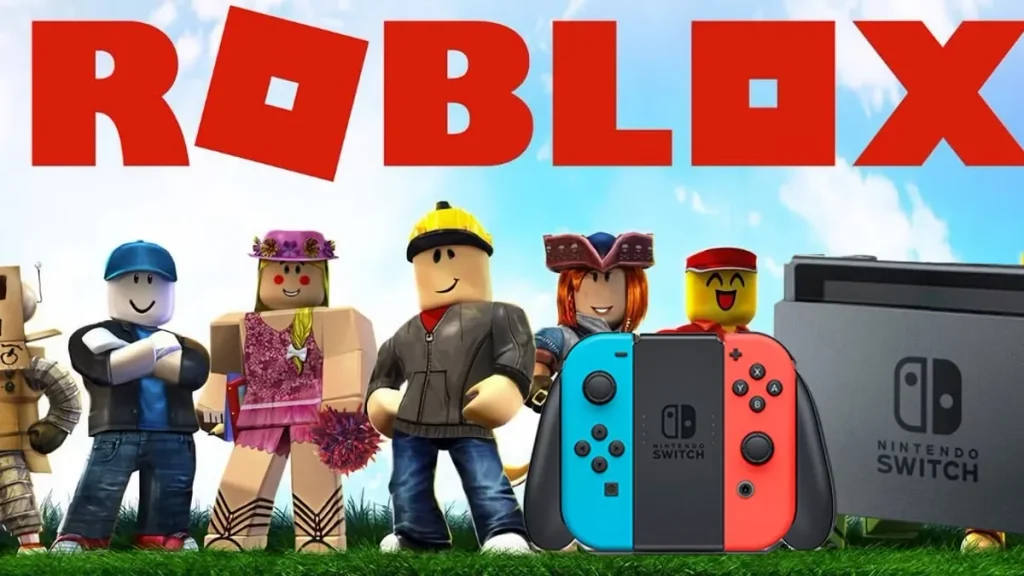
No. Roblox is not officially available on Nintendo Switch, Switch Lite, Switch OLED, or Switch 2. There is no Roblox app in the Nintendo eShop and no confirmed release date. The DNS trick shared in some tutorials may expose the console’s restricted web browser, but it cannot install the Roblox Player needed to launch an experience.
Many tutorials blur the line between opening Roblox.com, streaming footage from another device, and running Roblox natively. This guide checks each claim separately.
Is Roblox on Nintendo Switch?
Roblox has not released a compatible app for the standard Switch, Switch Lite, or Switch OLED. You cannot install the mobile or computer version on these consoles, and no official Roblox game card exists.
Roblox’s own installation guide explains what happens after someone selects Play on its website: a compatible Roblox Player must be installed and then opened. Nintendo Switch does not have that player.
What about Nintendo Switch 2?
The same answer applies to Switch 2. More powerful hardware does not make existing Windows, mobile, Xbox, or PlayStation software automatically compatible with Nintendo’s system. Roblox would still need to develop and release a version for the console.
There is also no confirmed evidence that Nintendo has banned Roblox. Explanations involving moderation, younger players, or technical disagreements remain speculation unless one of the companies says otherwise.
Neither Roblox nor Nintendo has announced a Switch 2 version or release window.
Can you download Roblox from the Nintendo eShop?
No official Roblox listing is available in the Nintendo eShop. A few search results can make the situation look less clear than it is:
- Robox is not Roblox. It is an unrelated game with a similar name.
- Amazon’s “Nintendo Switch Roblox Games” page is a product search, not a listing for a Switch edition.
- Roblox gift cards, books, cases, and other merchandise do not contain a Switch game.
- There is no official Roblox cartridge or Nintendo download code.
A genuine release would appear through Nintendo and identify Roblox Corporation as its publisher. A retailer keyword page or marketplace seller cannot confirm one.
Does the Nintendo Switch DNS trick work?
It may open a web page, but it does not let a normal Switch play Roblox.
Nintendo’s console contains a restricted browser for tasks such as completing registration on public Wi-Fi. Some tutorials replace the connection’s automatic DNS setting with a third-party address. This can redirect the connection check to a captive portal containing links to other websites, including Roblox.com.
Reaching the website is where the method stops. Selecting an experience cannot install a compatible Roblox Player, so the game does not launch. The DNS address changes how the console reaches a page; it does not add missing software or turn the browser into a supported platform.
Nintendo’s manual connection instructions recommend automatic DNS for most home networks and describe manual settings as an option for networks that specifically require them. Neither company presents custom DNS as a way to run the game.
Is the DNS method safe?
Changing DNS does not automatically expose a password entered on the genuine, HTTPS-protected Roblox domain. The practical danger is being sent to a look-alike portal or login page controlled by someone else.
Check the address carefully and never enter your Roblox password, recovery code, or two-step verification code on an unfamiliar domain. Avoid any supposed Switch solution that asks you to download an APK, disable security protections, complete “human verification,” or install a ROM patch.
If you changed the setting while testing a tutorial, return DNS Settings to Automatic afterward. The workaround provides no playable Roblox client, so there is no benefit in leaving an unknown DNS server configured.
Why do videos show Roblox running on a Switch?
A Switch-shaped device displaying Roblox footage is not proof of a native app. Before accepting a tutorial’s claim, look at what it actually demonstrates.
One example is KingAlexHD’s video, How to play Roblox on Nintendo Switch 1 and 2 right now. When watching demonstrations like this, check whether they show an official eShop download and native launch, or rely on browser access, remote streaming, or modified hardware.
The creator may only open Roblox.com without joining an experience. Other videos use remote streaming, edited footage, or a console modified to run software unavailable on a retail Switch. Calling one of those setups “Roblox on Switch” makes for an attractive title, but it does not give an ordinary owner an eShop download.
A convincing demonstration would show all three of these steps without cuts:
- Finding an app published by Roblox Corporation in the Nintendo eShop.
- Downloading it to an unmodified console.
- Launching and joining an experience directly from the Switch HOME Menu.
No current tutorial can complete that official process.
Can you stream Roblox to a Nintendo Switch?
Nintendo does not offer an official app for streaming Roblox from a phone, PC, Xbox, or PlayStation to a standard Switch. Custom remote-play setups generally require modified hardware or unsupported software and can be unreliable.
Even when streaming works in a demonstration, Roblox is running on the source device. The Switch is only receiving its video and controls. If you already have the phone or computer required for that setup, playing directly on it is simpler.
Will Roblox come to Nintendo Switch?
It could, but no public announcement currently turns that possibility into a release plan.
Roblox CEO David Baszucki said during a 2021 earnings call that Switch, PlayStation, and Quest “make perfect sense” for the platform. Roblox later reached PlayStation and Meta Quest. His comment showed interest in expanding, not that a Nintendo port had entered development or received a date.
Until there is an announcement, check the Roblox newsroom and Nintendo’s official channels rather than relying on countdown pages, retailer searches, or social posts. Claims such as “coming soon” should include a direct statement from one of the companies.
Latest posts:
- October 2026 game releases: Full release calendar
- Call of Duty: Modern Warfare 4: Everything you need to know
- Honkai: Star Rail 4.6: Pearl, new story, events & more
- Wuthering Waves version 3.7: Hsin, Suoming, new Echoes, events & more
- Grow a Garden 2 codes (September 2026) and how to redeem
Where can you officially play Roblox?
Switch owners still have several supported options. Roblox provides dedicated technical support for computer, mobile, PlayStation, and Xbox, with separate requirements for each device family.
| Device family | Official support | Notes |
|---|---|---|
| Windows PC and Mac | Yes | Uses the Roblox desktop application |
| iPhone and iPad | Yes | Requires a supported iOS or iPadOS version |
| Android phone and tablet | Yes | Requires a compatible Android device |
| Amazon Fire tablet | Yes | Limited to supported Fire models |
| Xbox | Yes | Uses the official console app |
| PlayStation | Yes | Uses the official console app |
The current Roblox mobile requirements cover supported Apple, Android, and Amazon Fire devices. On computers, Roblox officially supports compatible versions of Windows and macOS, as detailed in its desktop system requirements.
Not every experience offers identical controls or features on every platform, so check the experience page if you plan to play with friends on different devices.
What is the best option for a Switch owner?
For most people, a supported phone or tablet is the quickest alternative. Sign in with your existing Roblox account to retain account-linked items, Robux, and eligible progress. A PC, Xbox, or PlayStation is a better fit if you prefer a larger display and controller input.
Roblox is free to install on those supported devices, with optional purchases inside the platform. Until Nintendo receives a real app, this route is safer and considerably easier than following DNS or download tricks.